
Kuwait eVisa Troubleshooting: Common Issues and Solutions
If your Kuwait eVisa application was rejected, stuck, or not working, most issues stem from document errors, payment failures, or eligibility mismatches. This guide covers every common problem applicants face and provides step-by-step solutions to get your visa approved.
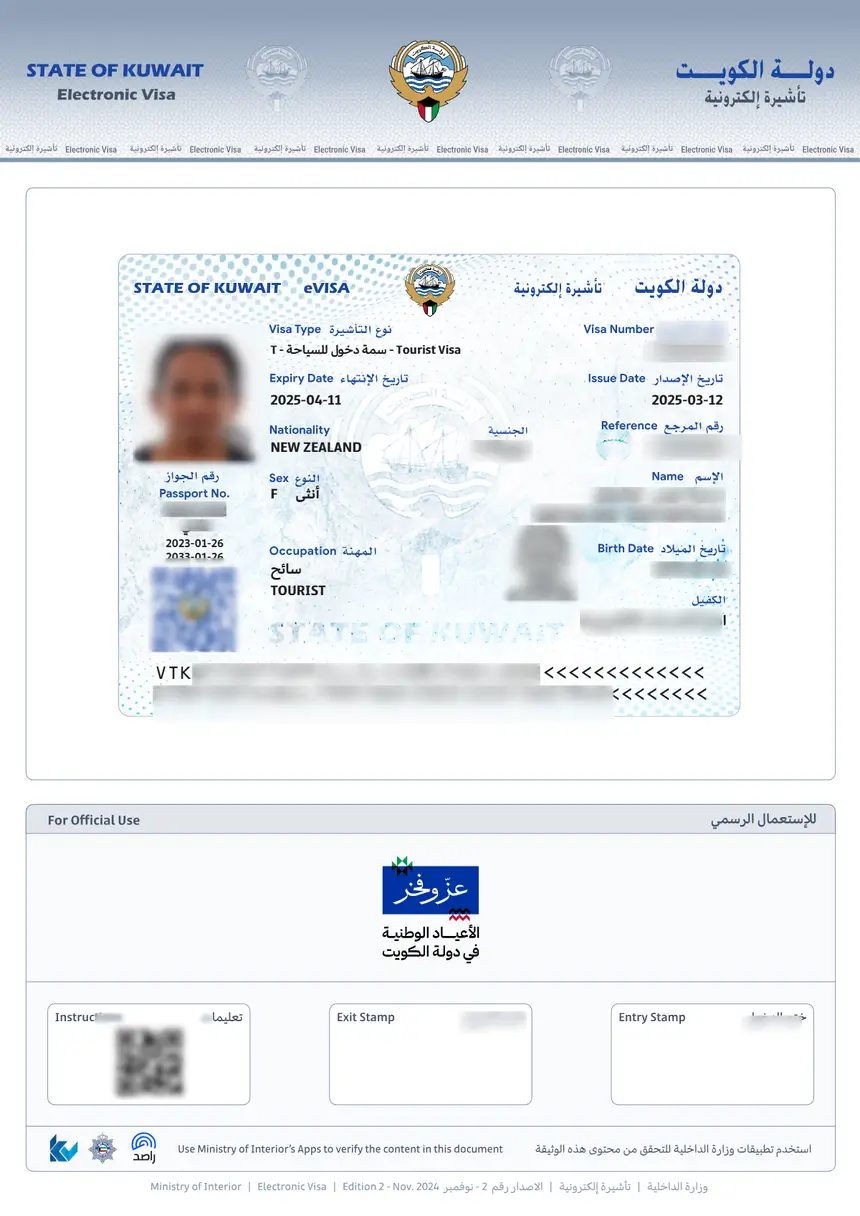
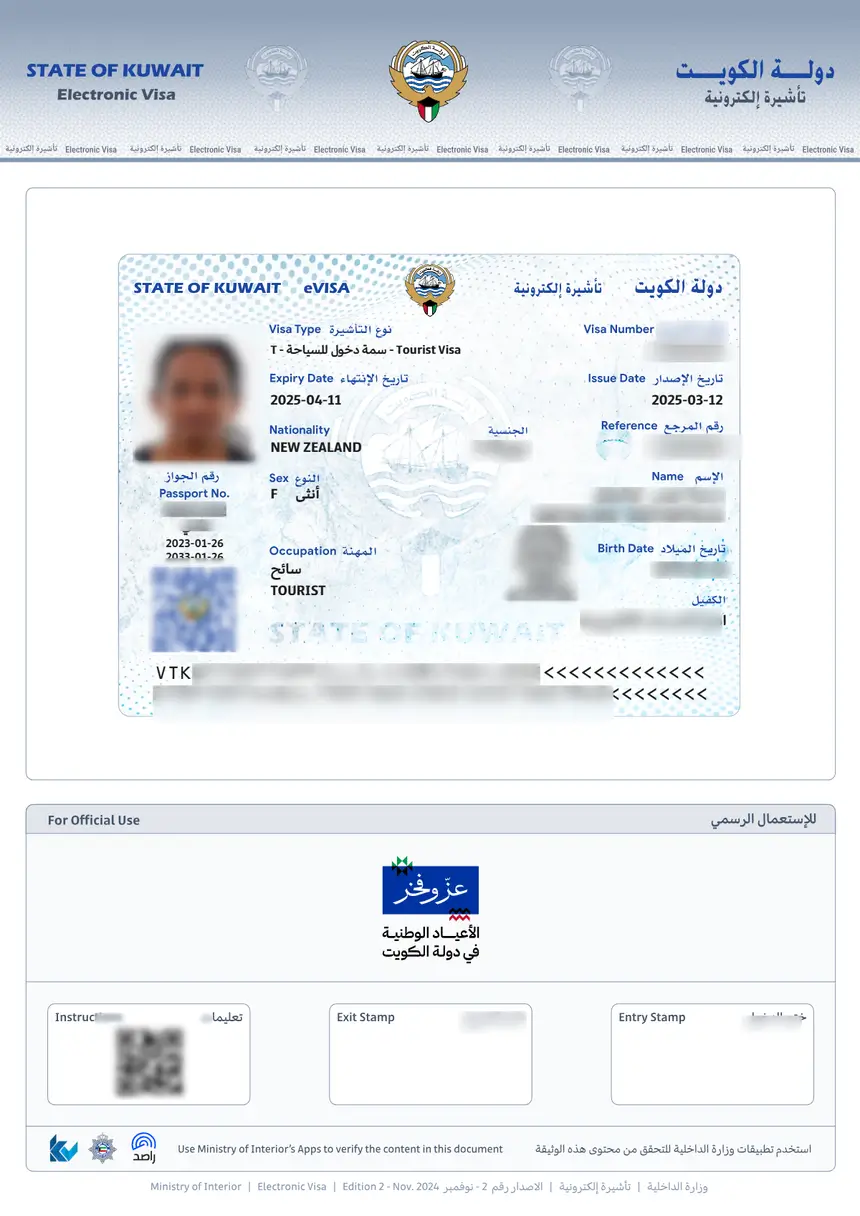
The Kuwait eVisa system processes thousands of applications daily through the Ministry of Interior (MOI) portal. While most applications are straightforward, technical glitches, incomplete documents, and misunderstandings about eligibility criteria can cause delays or outright rejections.
Why Was My Kuwait eVisa Rejected?
Visa rejections are the most common issue applicants face. The MOI does not always provide a detailed reason, but the most frequent causes include:
- Invalid or expired passport – Your passport must be valid for at least six months beyond your intended entry date. Damaged or altered passports are automatically rejected.
- Incorrect personal information – Mismatched names between your passport and the application form trigger rejections. Even minor spelling differences count.
- Ineligible nationality – Not all nationalities qualify for the Kuwait eVisa. Check the visa requirements before applying.
- Previous visa overstay – If you overstayed a prior Kuwait visa, your new application may be denied until the issue is resolved.
- Criminal record flags – Applicants with certain legal issues may be flagged during security screening.
- Poor document quality – Blurry passport scans, photos that do not meet specifications, or illegible documents lead to rejection.
Solution: Review your application carefully against your passport. If rejected, wait 24 hours and submit a new, corrected application through the Kuwait eVisa application portal.
Kuwait eVisa Payment Failed or Not Processing
Payment issues are the second most common problem. The MOI portal accepts credit and debit cards, but several factors can cause failures:
Card Declined
- International transactions blocked – Many banks block overseas payments by default. Call your bank to authorize the transaction.
- Insufficient funds – The Kuwait eVisa fee is KWD 3 (approximately USD 10). Ensure your card has enough balance plus any conversion fees.
- Card type not accepted – The portal may not accept certain prepaid cards or cards from specific regions.
Payment Deducted but No Confirmation
This is a frustrating scenario where your card is charged but the application shows as unpaid:
- Wait 30 minutes – the system sometimes has processing delays.
- Check your email (including spam folder) for a confirmation receipt.
- Log back into the portal and check your application status.
- If still unpaid after 2 hours, contact the MOI helpline with your transaction reference number.
Do not submit a new application until you confirm the first payment status. Duplicate applications can cause complications.
Kuwait eVisa Status Not Updating
After submitting your application, you can track it through the Kuwait eVisa status check tool. However, sometimes the status appears stuck:
Common Status Issues
| Status Displayed | What It Means | Action Required |
|---|---|---|
| Under Review | Normal processing | Wait 1-3 business days |
| Pending Payment | Payment not confirmed | Verify payment, retry if needed |
| Rejected | Application denied | Review reasons, reapply with corrections |
| Approved | Visa issued | Download and print your eVisa |
| No Record Found | Wrong reference number | Double-check your application ID |
Why Is My eVisa Taking So Long?
Standard processing time for a Kuwait eVisa is 1-3 business days. Delays beyond this period can be caused by:
- High application volume during peak travel seasons (Eid holidays, winter months)
- National security screening that applies to certain nationalities
- Weekend timing – Kuwait’s weekend is Friday-Saturday, so applications submitted on Thursday may not process until Sunday
- Incomplete applications that require additional review
Document Upload Errors
The eVisa portal requires specific document formats and sizes. Upload failures are common and easily fixed:
Accepted File Specifications
| Requirement | Specification |
|---|---|
| Passport scan format | JPG, PNG, or PDF |
| Maximum file size | 2 MB per file |
| Photo dimensions | Minimum 600×600 pixels |
| Photo background | White or light-colored |
| Passport scan quality | All text must be clearly readable |
Common Upload Failures
- File too large – Compress your image using free online tools. Reduce resolution to under 2000×2000 pixels.
- Wrong file format – Convert HEIC, WEBP, or BMP files to JPG or PNG before uploading.
- Browser compatibility – The portal works best with Chrome or Firefox. Safari and Edge sometimes cause upload timeouts.
- Slow internet connection – Large files may time out on slow connections. Use a stable Wi-Fi network.
Tip: Always preview your uploaded documents before final submission. If the preview appears blurry or cropped, re-upload a better scan.
Passport Photo Rejection
Passport photo requirements for the Kuwait eVisa are strict. Common reasons for rejection include:
- Wearing glasses or sunglasses
- Head coverings (unless for religious reasons, and even then, the face must be fully visible)
- Shadows on the face or background
- Smiling with teeth showing (neutral expression preferred)
- Photo taken more than 6 months ago
- Digital alterations or filters
Solution: Take a new photo against a plain white wall with natural lighting. Ensure your face occupies 70-80% of the frame, with both ears visible.
Technical Issues with the MOI Portal
Website Not Loading
The Kuwait MOI portal occasionally experiences downtime:
- Try accessing during off-peak hours (early morning Kuwait time, GMT+3)
- Clear your browser cache and cookies
- Disable VPN connections, as some IP ranges are blocked
- Try a different browser or device
Session Timeout
The portal automatically logs users out after a period of inactivity:
- Complete the application in one sitting if possible
- Save your progress at each step before taking a break
- Copy your application reference number immediately after starting
- If timed out, log back in – most entered data is saved
Form Validation Errors
Some form fields are particularly sensitive to formatting:
- Phone number – Include the country code with a plus sign (e.g., +1 for US numbers)
- Date format – Use DD/MM/YYYY format as required by the portal
- Address fields – Avoid special characters and keep within character limits
- Name fields – Enter names exactly as they appear on your passport, including middle names
What To Do After a Kuwait eVisa Rejection
If your application is rejected, follow these steps:
- Identify the cause – Review the rejection reason in the portal or your email notification.
- Fix the issue – Correct whatever caused the rejection (documents, information, eligibility).
- Wait before reapplying – Submitting immediately after rejection may trigger automatic denial. Wait at least 24-48 hours.
- Submit a new application – Go through the full application process again with corrected information.
- Consider alternatives – If the eVisa is not available for your nationality, explore the visa on arrival option or apply through a Kuwaiti embassy.
How to Download and Print Your eVisa After Approval
Once approved, download your eVisa immediately:
- Log into the MOI portal with your credentials.
- Navigate to your application and click “Download Visa.”
- Save the PDF file to your device.
- Print at least two copies – one for your travel documents and one as a backup.
For detailed instructions, see our Kuwait eVisa download guide.
Important: Your eVisa is linked to your passport number. If you get a new passport, you must apply for a new visa.
FAQs About Kuwait eVisa Troubleshooting
Can I reapply after my Kuwait eVisa is rejected?
Yes, you can submit a new application after fixing the issue that caused the rejection. Wait at least 24-48 hours before reapplying.
How long does Kuwait eVisa processing take?
Standard processing takes 1-3 business days. During peak seasons or for certain nationalities, it may take up to 5 business days. Check the current processing times on the portal.
My payment was charged twice. How do I get a refund?
Contact the MOI helpline with both transaction reference numbers. Duplicate charges are usually resolved within 5-10 business days.
Can I edit my application after submission?
No, submitted applications cannot be edited. If you notice an error after submission, you need to wait for the result and reapply if rejected.
Why does the portal say “No Record Found”?
This usually means the application ID was entered incorrectly. Double-check the reference number from your confirmation email. If you just submitted, wait a few minutes for the system to update.
Is the Kuwait eVisa available for all nationalities?
No, eligibility depends on your nationality. Some countries are not eligible for the eVisa but may qualify for a visa on arrival or embassy visa. Check the requirements for your specific nationality.
What should I do if the portal keeps crashing?
Try clearing your browser cache, disabling extensions, using incognito mode, or switching to a different browser. Chrome generally works best with the MOI portal.
Can someone else apply on my behalf?
Yes, a sponsor or travel agent can submit the application, but they must have all your correct personal information and documents.